New Free & open source · macOS 14+

Your Mac's menu bar,
supercharged.

Command palette, clipboard history, window snapping, screenshots with annotations, system monitor and on-device AI — in one fast, native app. No subscription. No account. No telemetry.

Universal · Apple Silicon & Intel · English, Português, Deutsch, Español, 中文

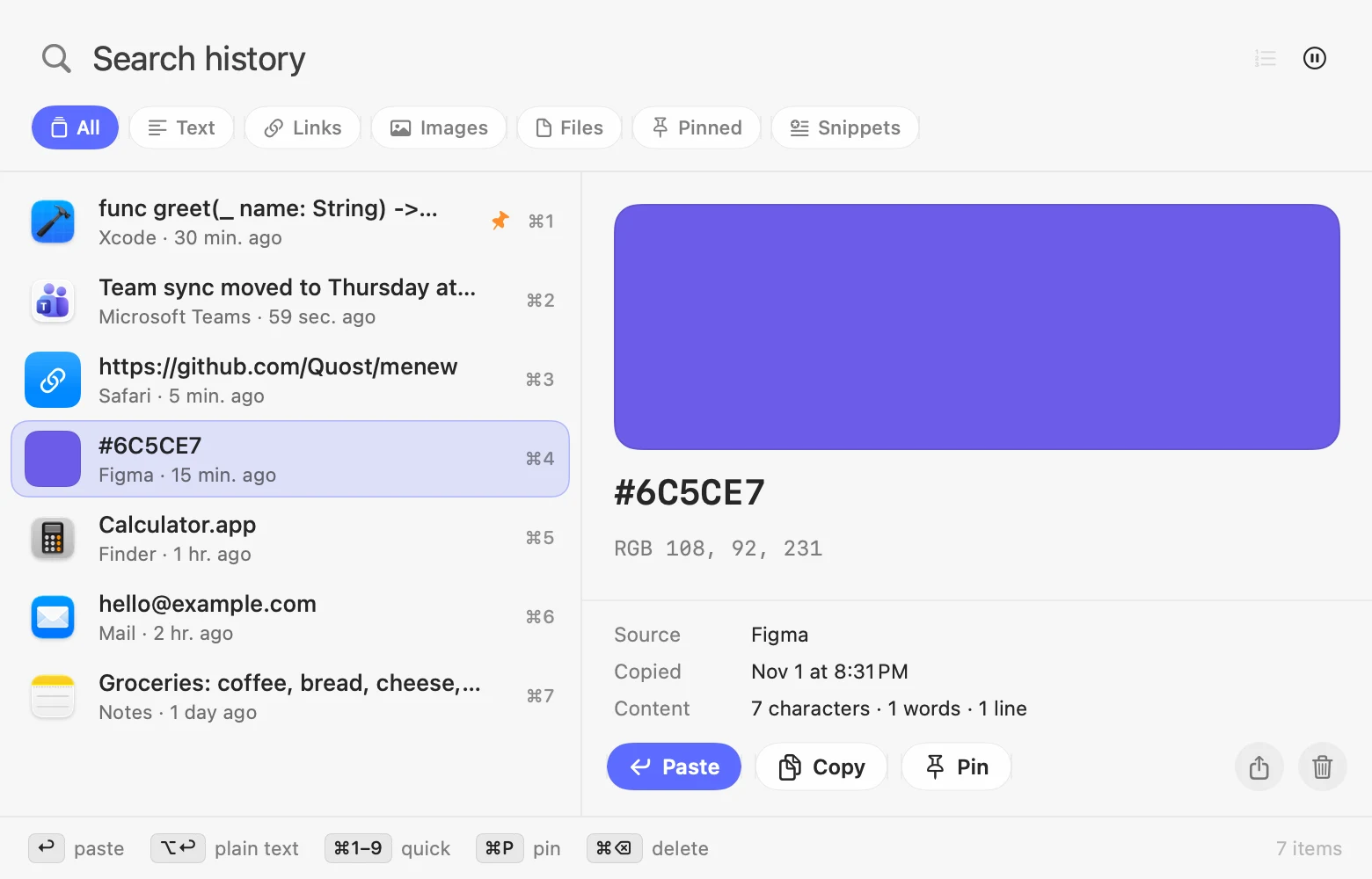
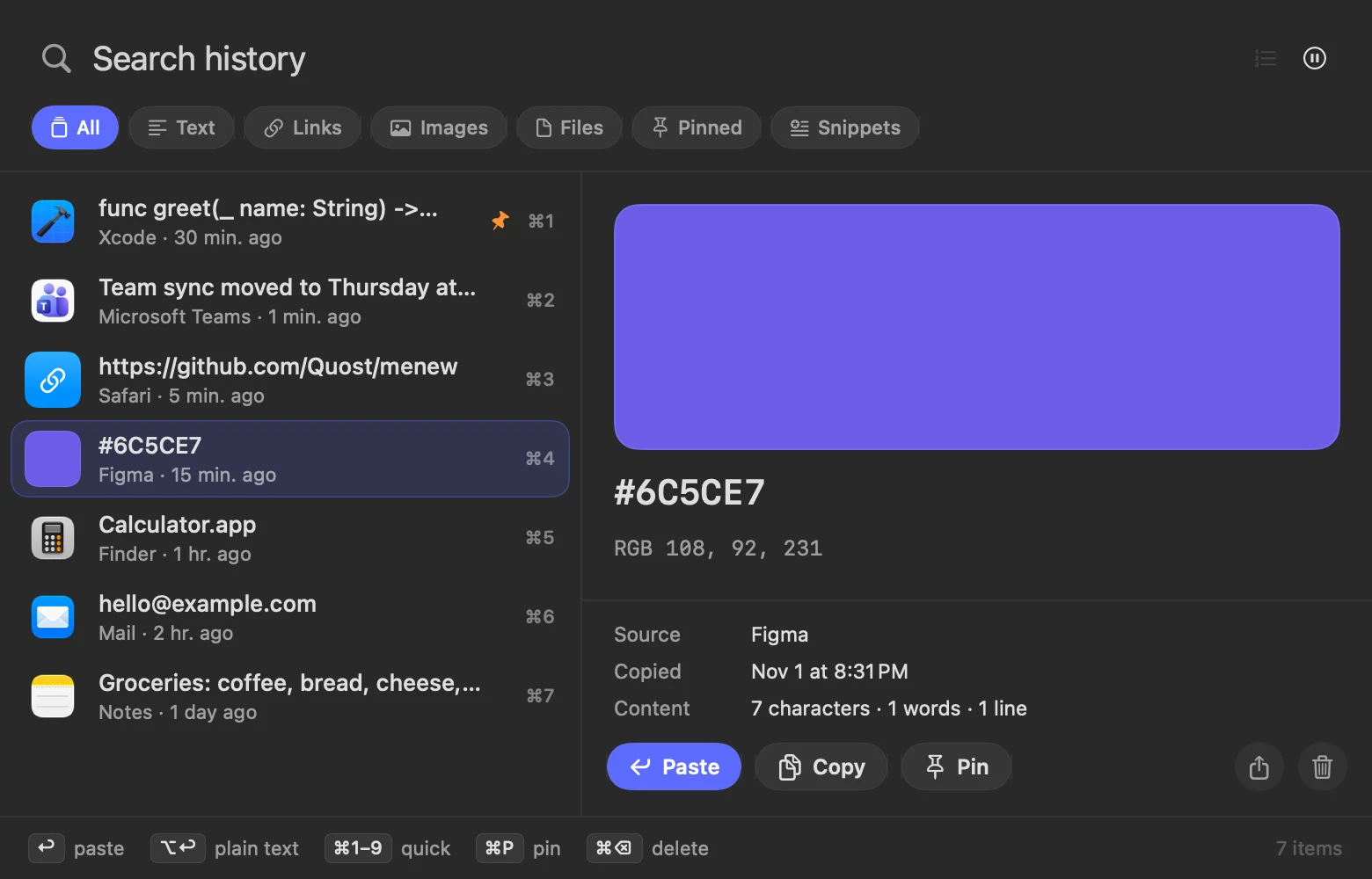
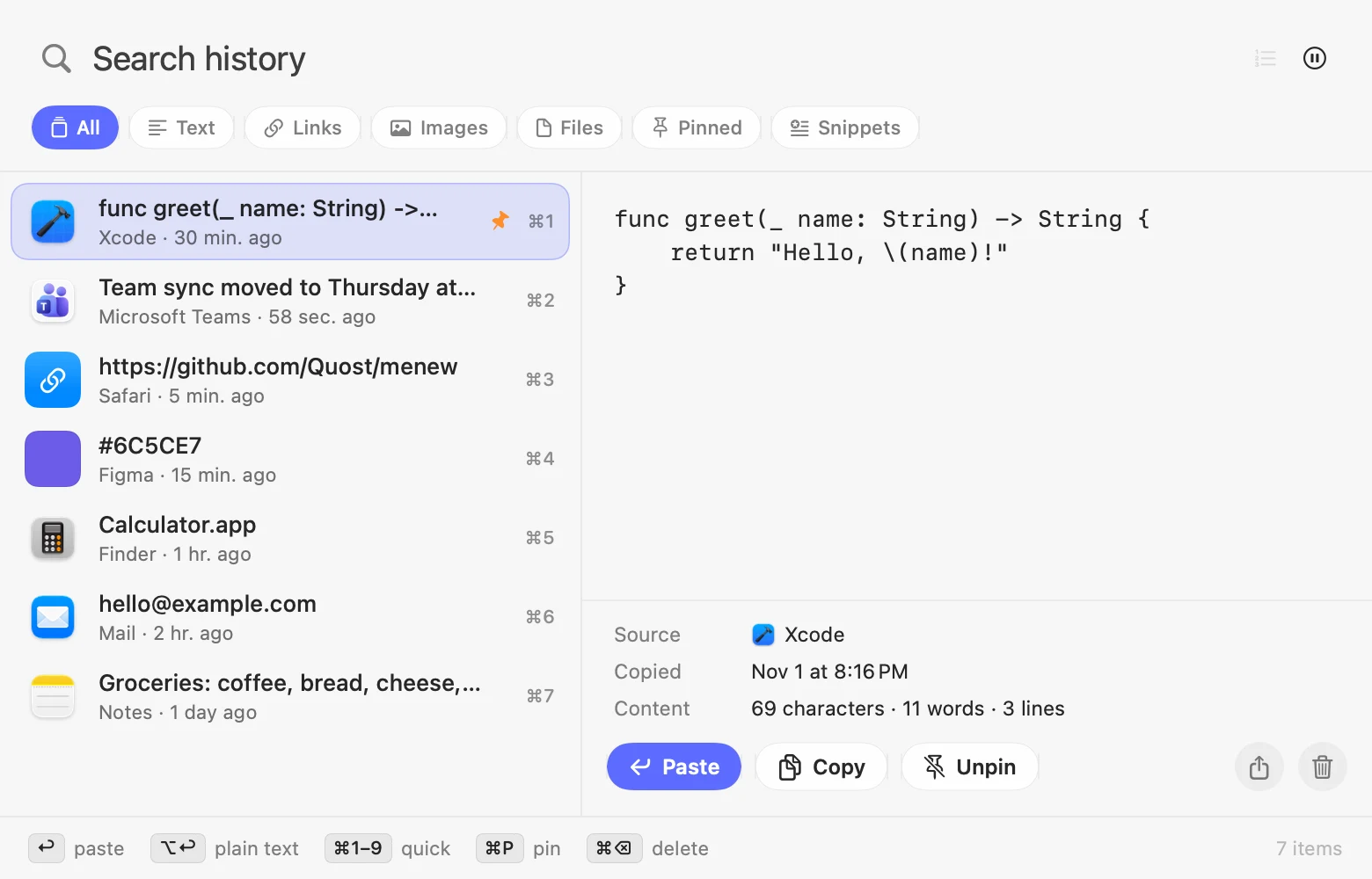
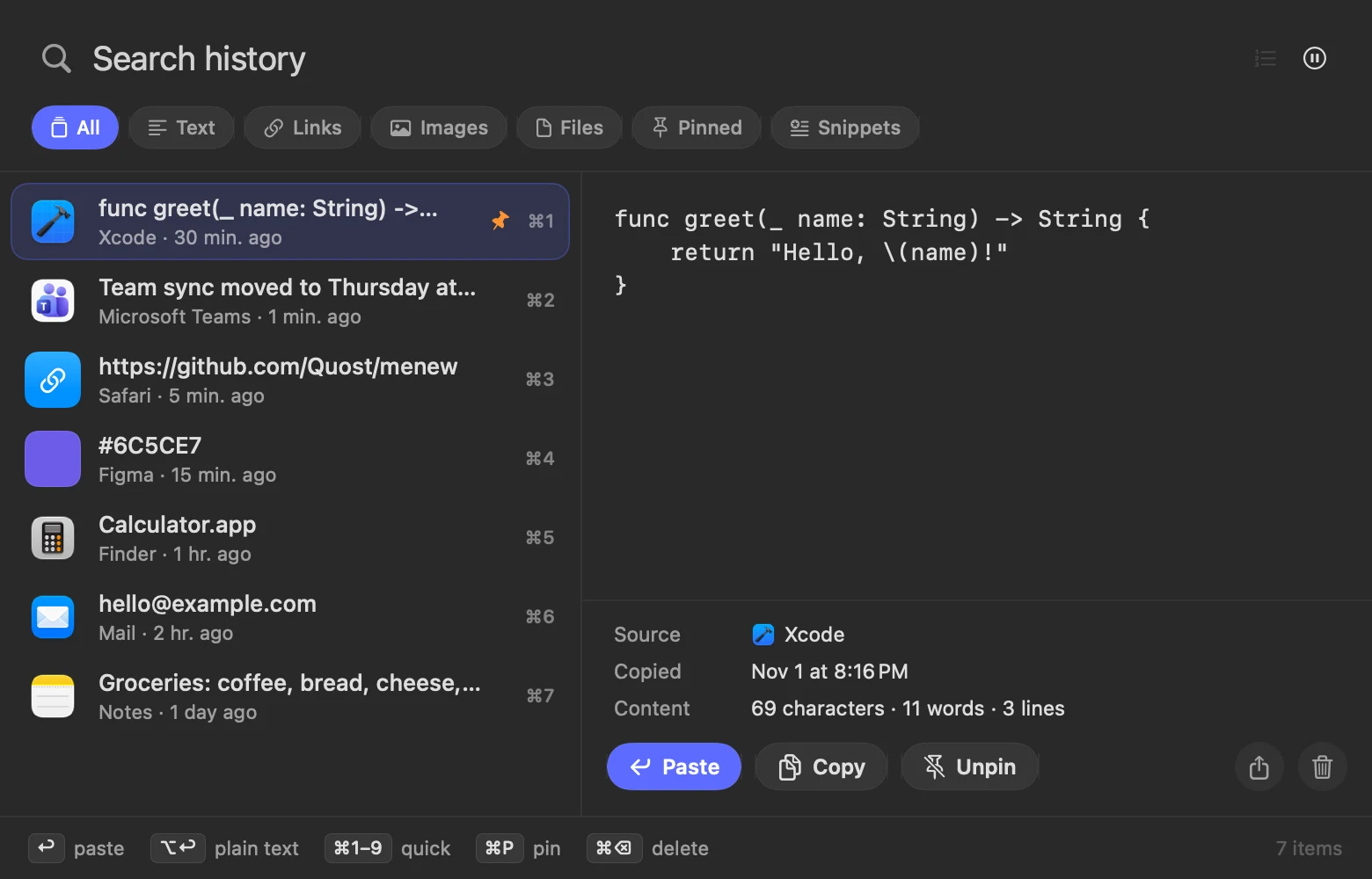
Clipboard history panel with search, filters and preview Clipboard history panel with search, filters and preview
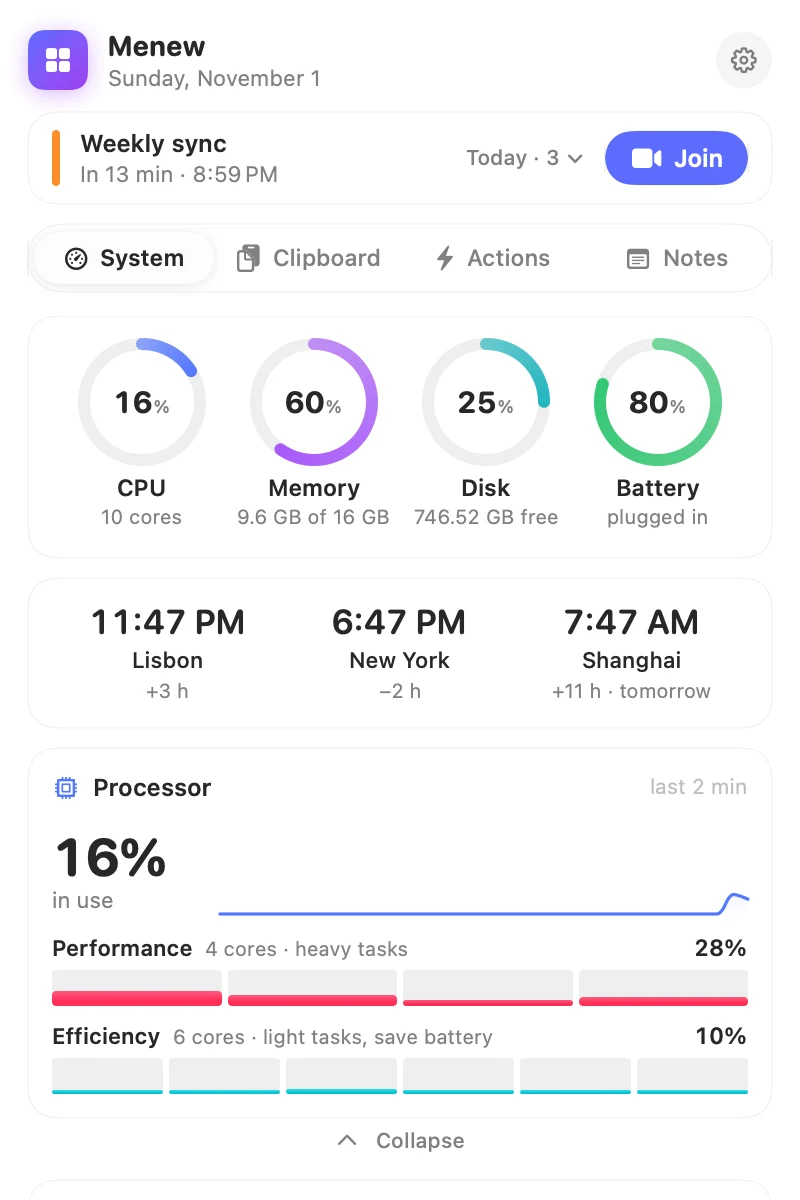
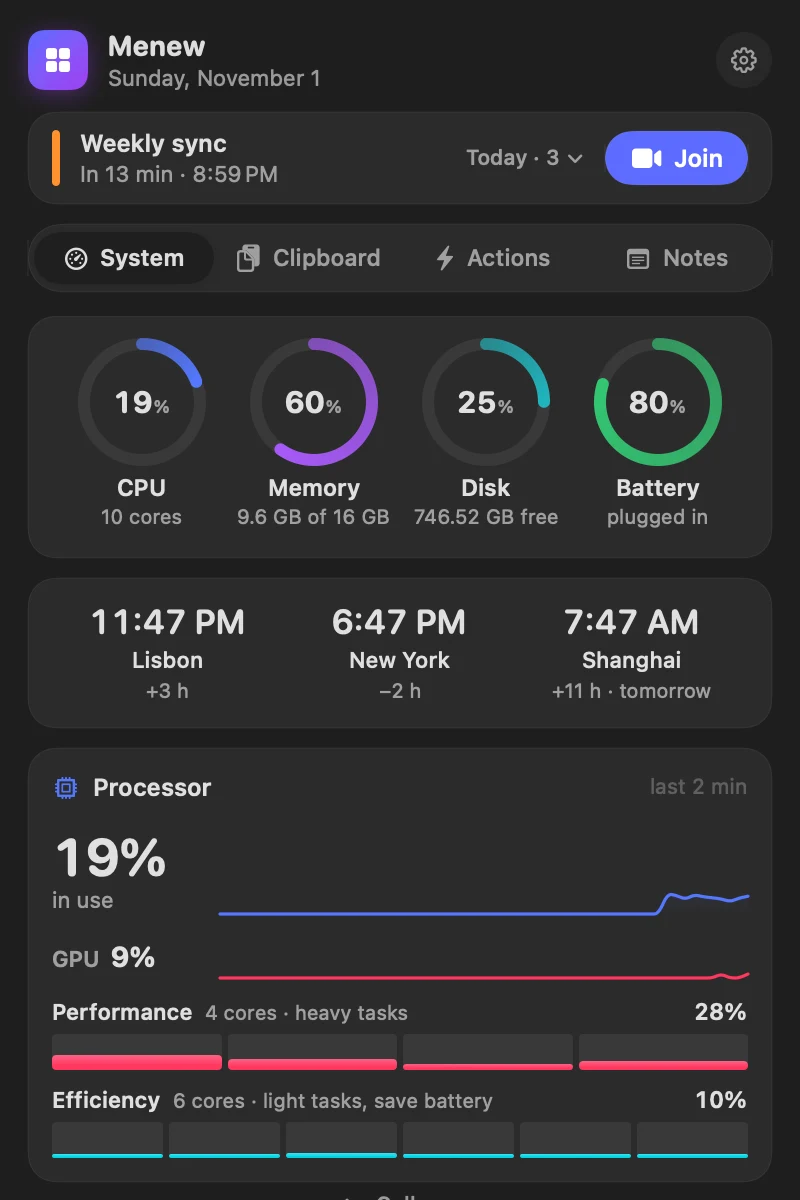
System monitor with CPU, memory, disk and battery rings System monitor with CPU, memory, disk and battery rings
Everything in one place

The little things you do every day,
one click away.

Menew replaces a handful of paid menu bar utilities with one fast, native app built in Swift. With the Liquid Glass look of macOS 26. Use only what you need: turn modules off in Settings. Pin your favorite actions, fold away the rest and find any setting in its own window.

System monitor

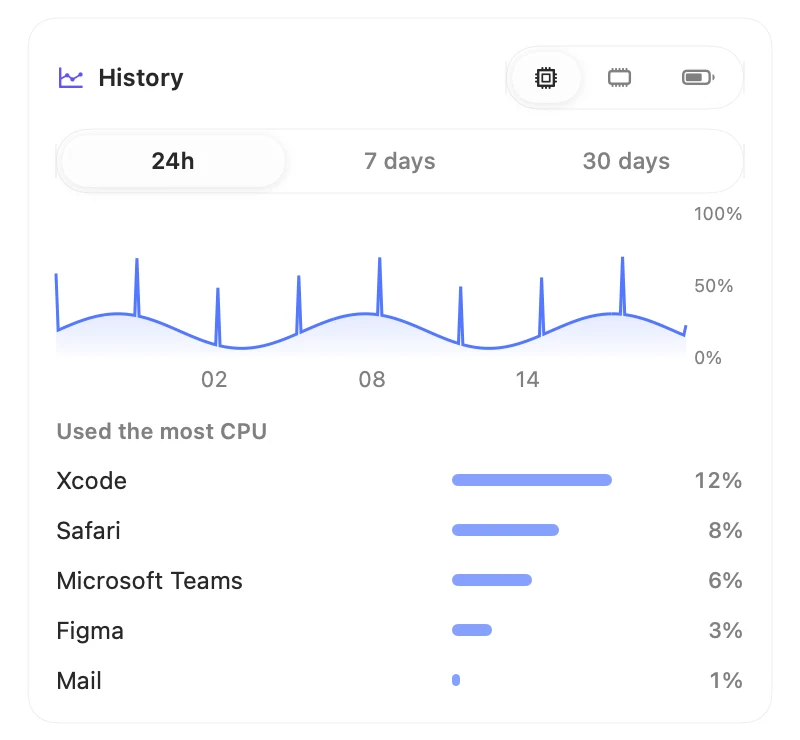
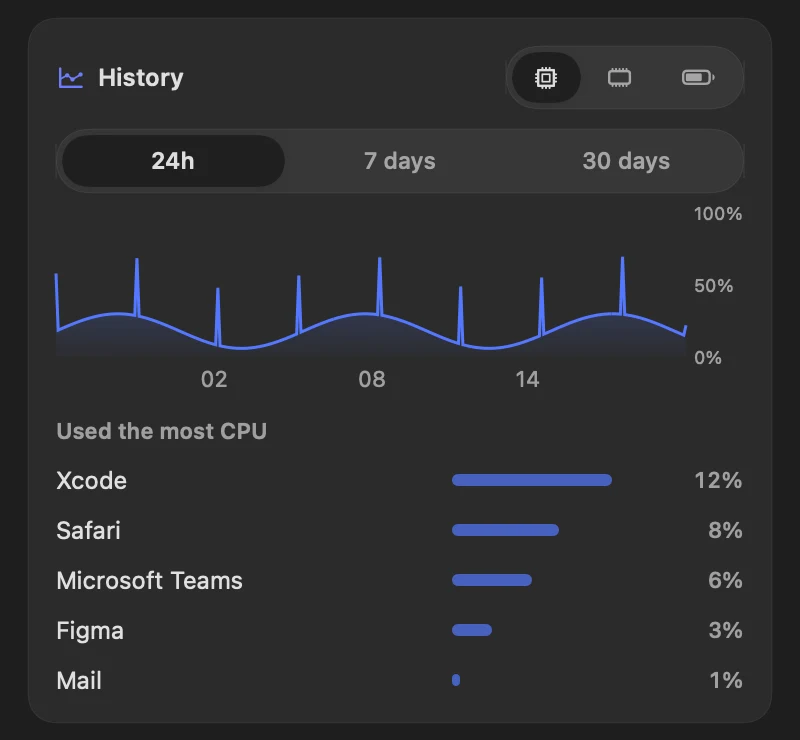
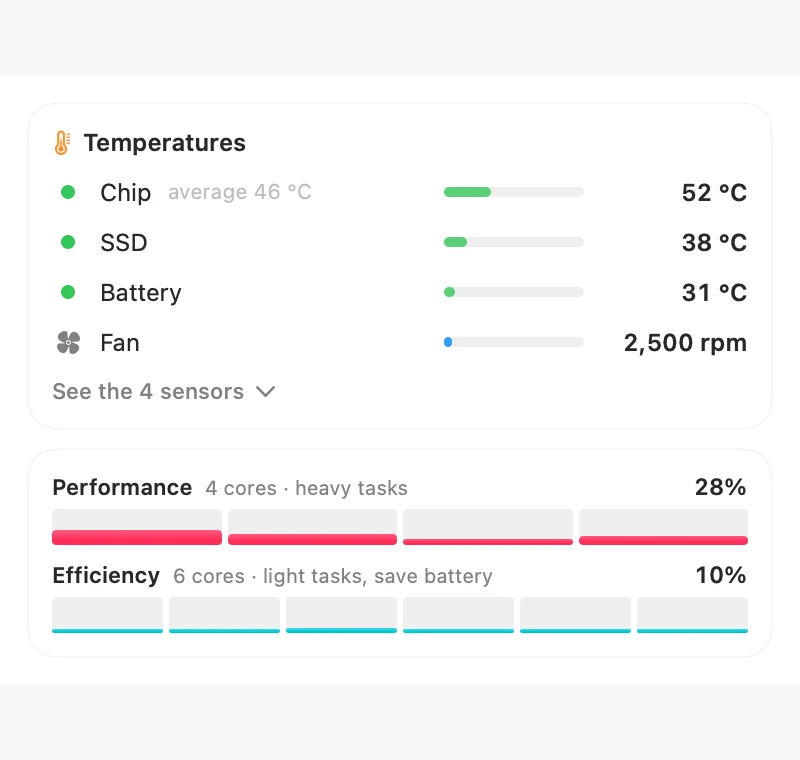
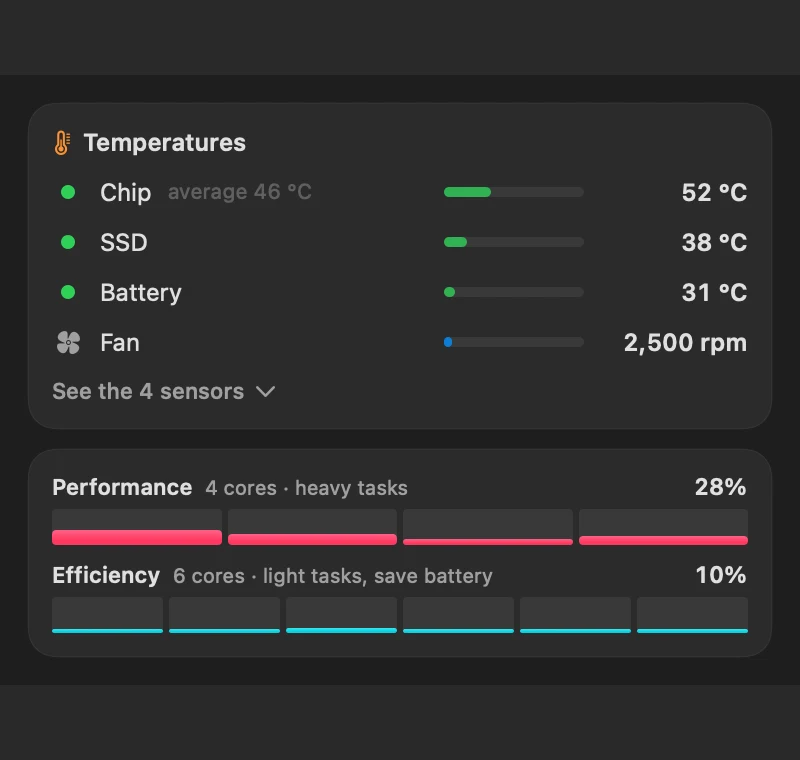
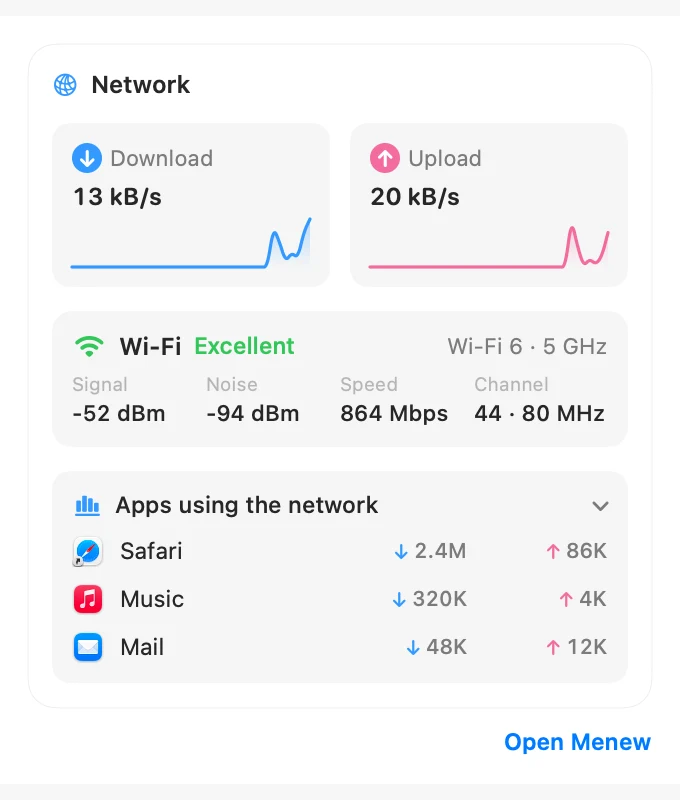
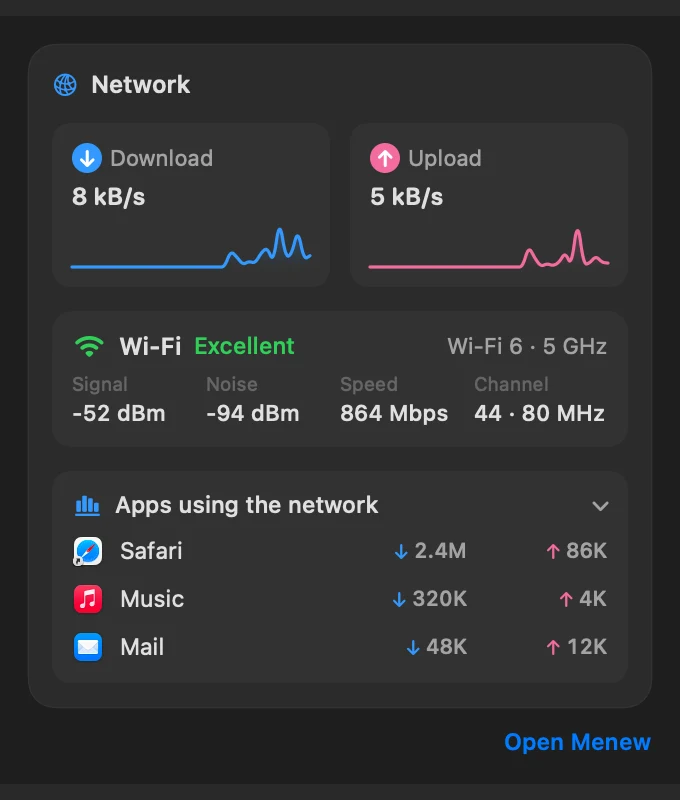
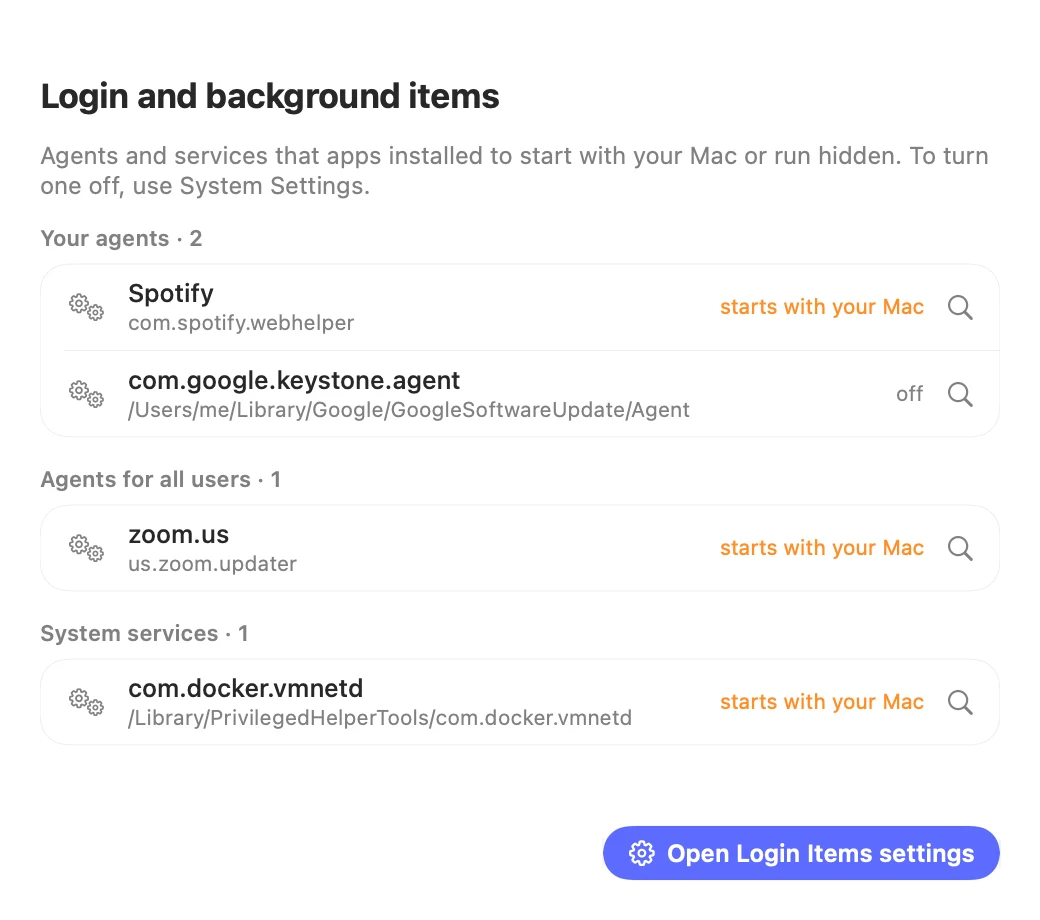
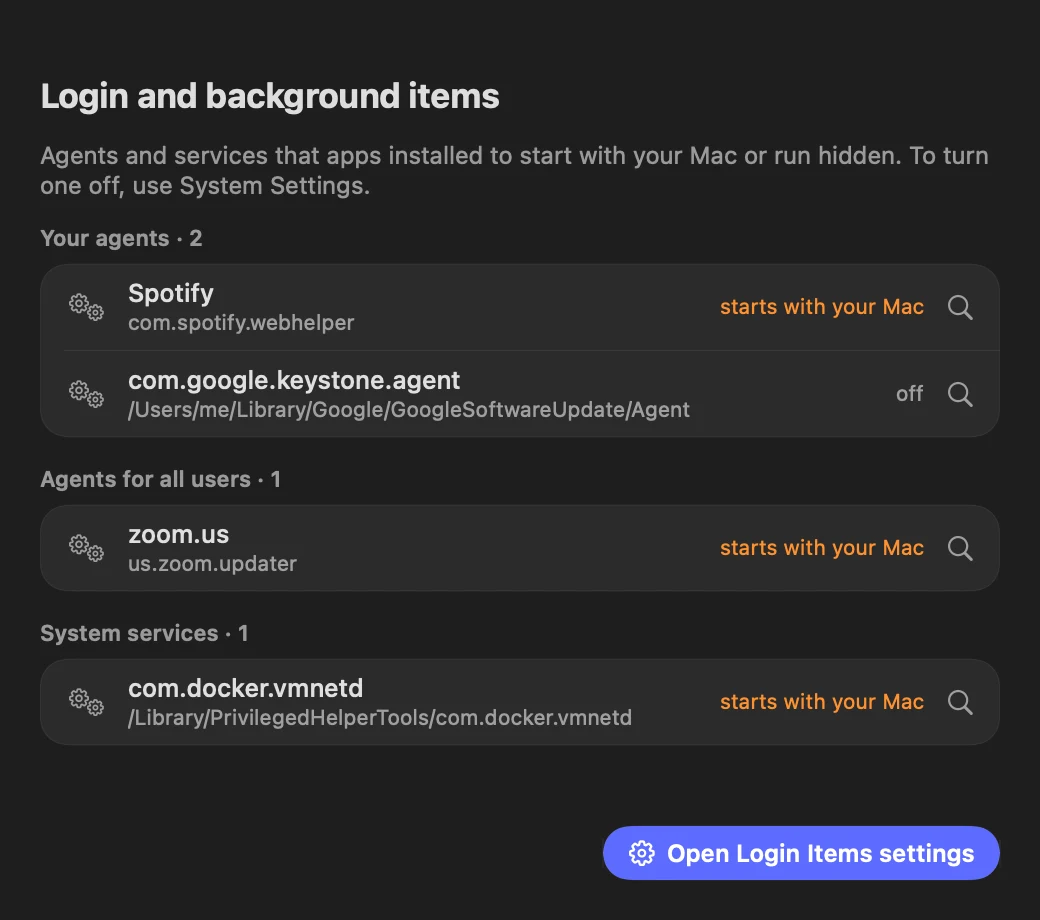
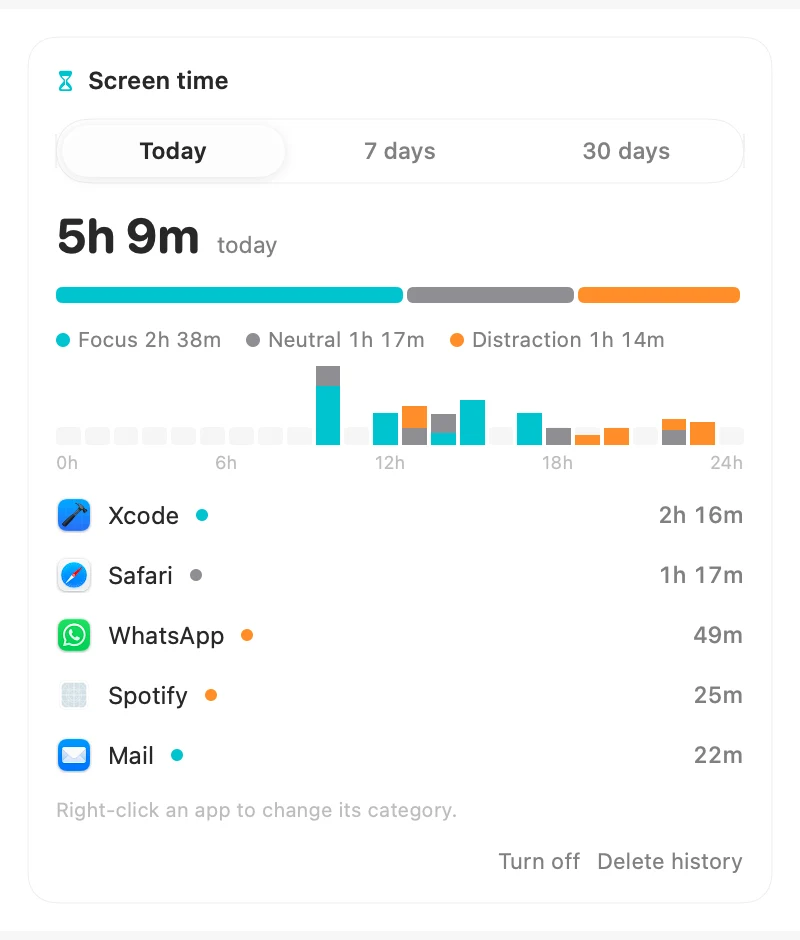
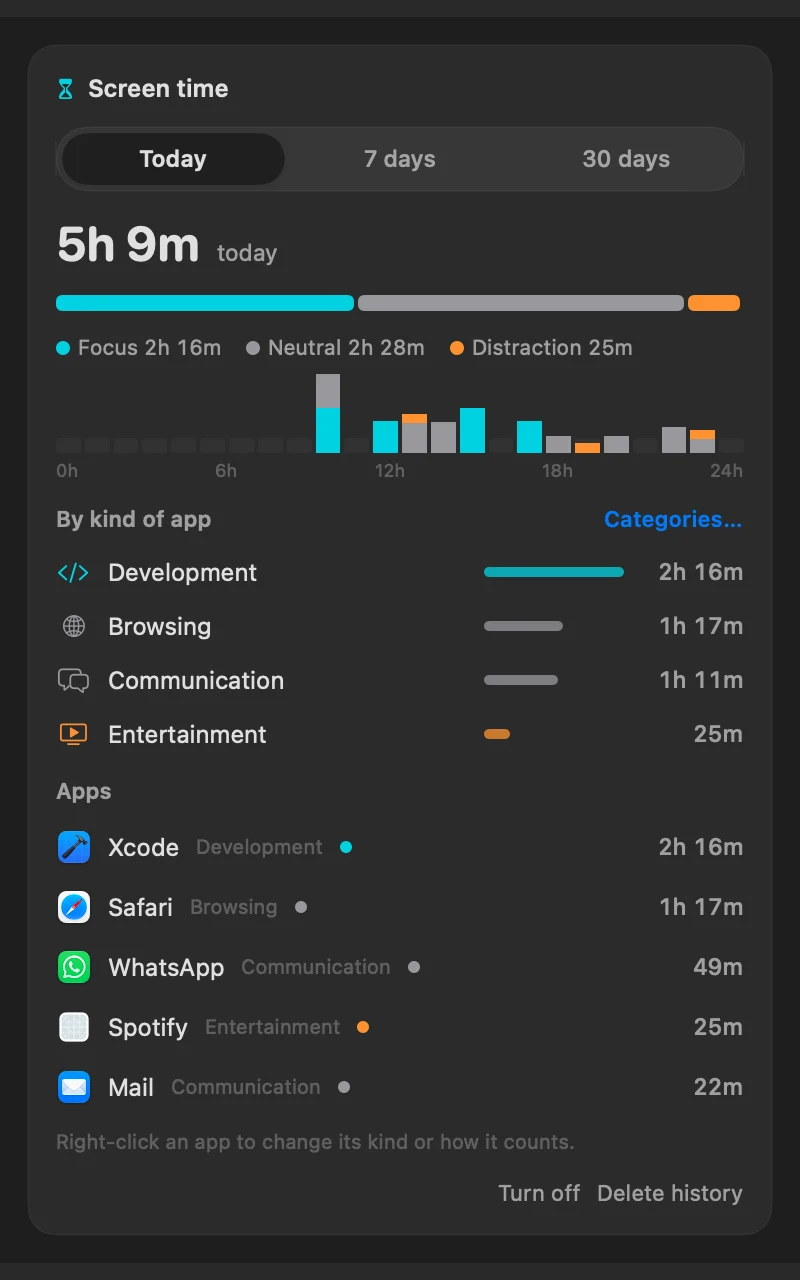
CPU and GPU with live graphs, memory pressure and swap, disk space and read/write speed, battery health and cycles, and the busiest processes, which you can quit in one click. Optional alerts, and you choose what shows in the menu bar. Turn on your next meeting at the top of the menu, with a Join button for Zoom, Meet or Teams. World clocks show other cities' time, and the command palette converts times like “3pm in Lisbon”. Open today's agenda from the meeting card and copy your free times for the next working days, ready to send. See the battery of your Magic Mouse, keyboard, trackpad and AirPods, with an optional low-battery alert. A 24-hour chart of CPU, memory and battery shows what happened, and which apps used the most battery. See performance and efficiency cores, power draw in watts, SSD health, an alert for runaway apps and a one-click system report. Temperatures in °C for the chip, SSD and battery, plus fan speed. Turn on separate icons and each metric gets its own menu bar icon with its own panel. History goes back 7 and 30 days, and you can build your own alerts, like “CPU above 80% for 10 min”. See your Wi-Fi signal, noise, link speed, channel and band, and every login and background item apps installed. Press “Why is my Mac slow?” for a plain-language diagnosis. Turn on Screen time to see how long you spend in each app, split into focus, neutral and distraction, for today, the week or the month.

Clipboard history

Text, links, images and files. Instant search, filters, pins and a rich preview. Opens with ⌘⇧V. Pause it for 15 minutes or an hour when you copy something private. Turn on the paste queue to copy several things and paste them one by one with ⌘V, in order. Copy a phone, address, email, tracking code, color or meeting link and Menew offers the right action: call, open in Maps, track, convert or join. Search finds text inside copied screenshots and images too, read on your Mac. Share any item with the macOS share menu (AirDrop, Messages, Mail). Search by meaning too: “the hotel link from yesterday”, “that Xcode error”, “images from today”.

Quick actions

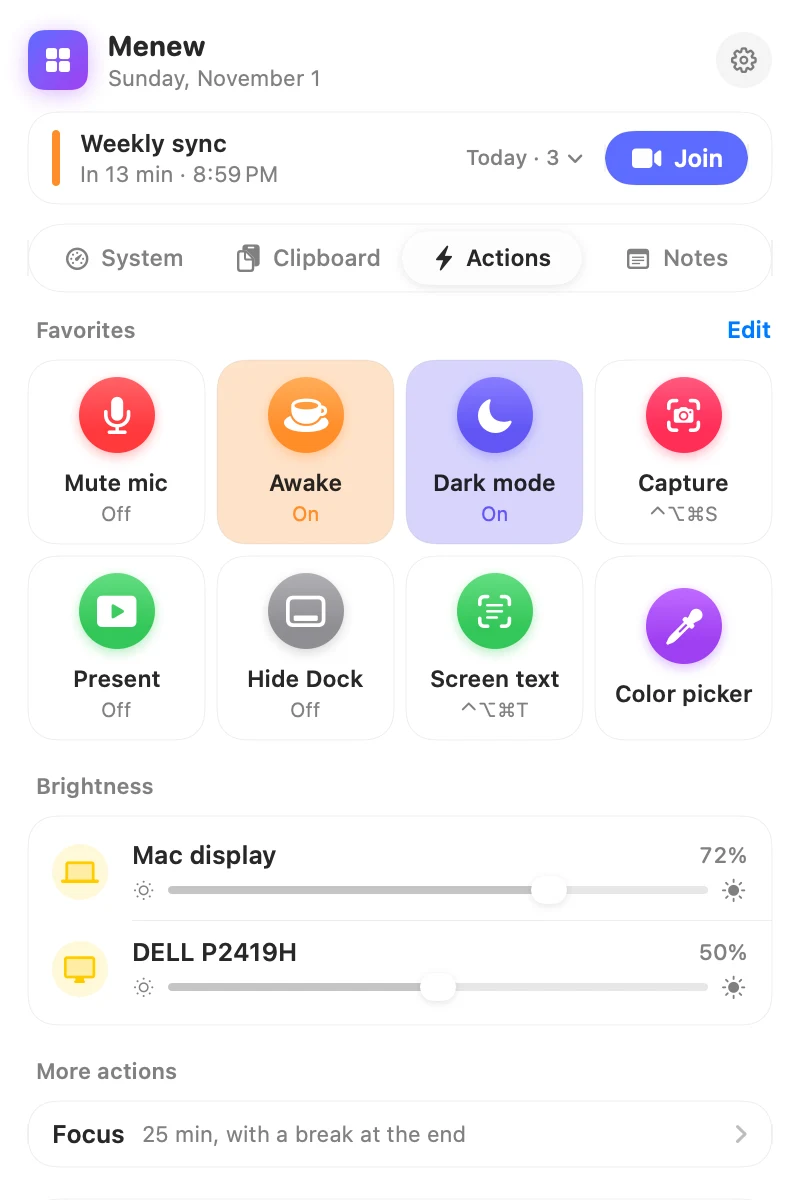
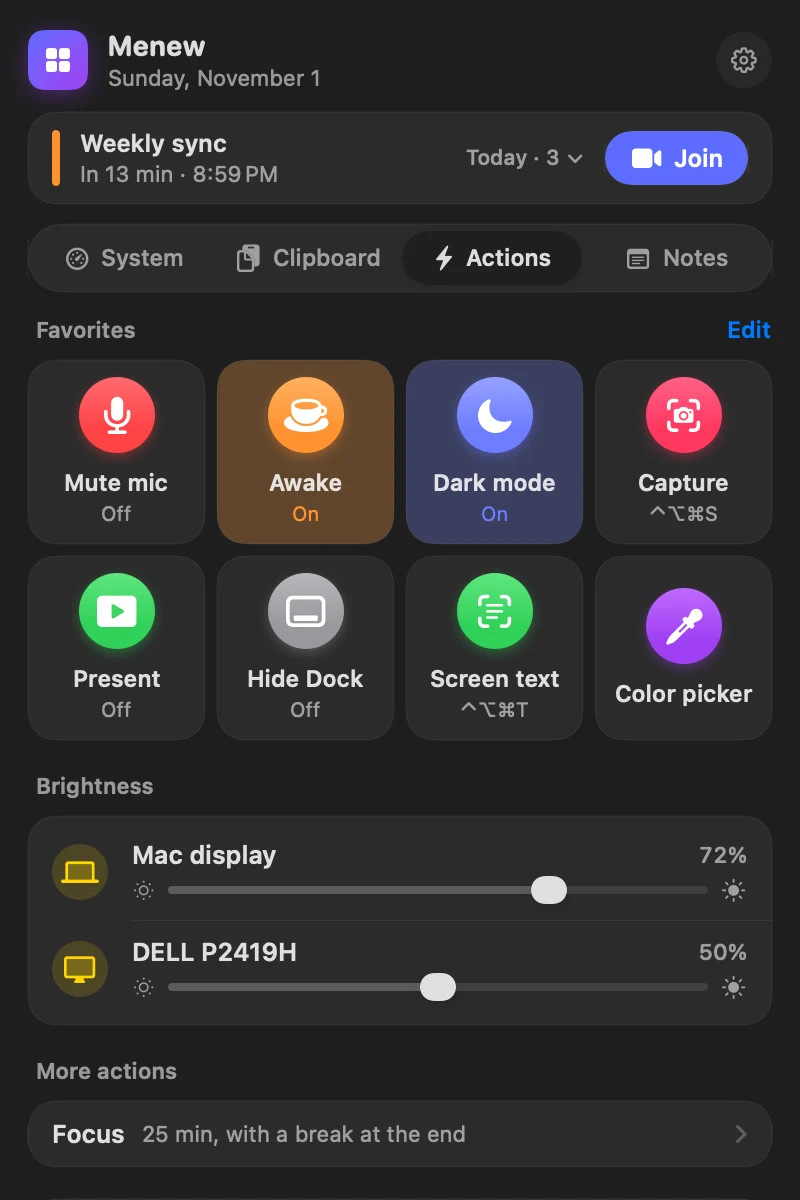
Brightness for every screen, external monitors included. Mute the mic or the sound, hide the Dock, dark mode, keep awake with a timer, hidden files and desktop icons. Plus color picker, screenshots you can annotate, blur and pin on screen (⌃⌥⌘S), eject disks and more. Keep Awake also works until a set time or while an app is open. Switch the sound output and microphone (AirPods, headphones, speakers) in one click, and turn on presentation mode before sharing your screen. Record the screen as video or GIF, or take a scrolling capture of a whole page.

Free up space

Clear caches, logs and developer junk in seconds. A deep scan finds old downloads, large files and duplicate files for you to review. Removed files go to the Trash.

Internet

Live download and upload, local and public IP, and a real speed test powered by macOS itself. See which apps are using the network right now.

Notes, snippets & devices

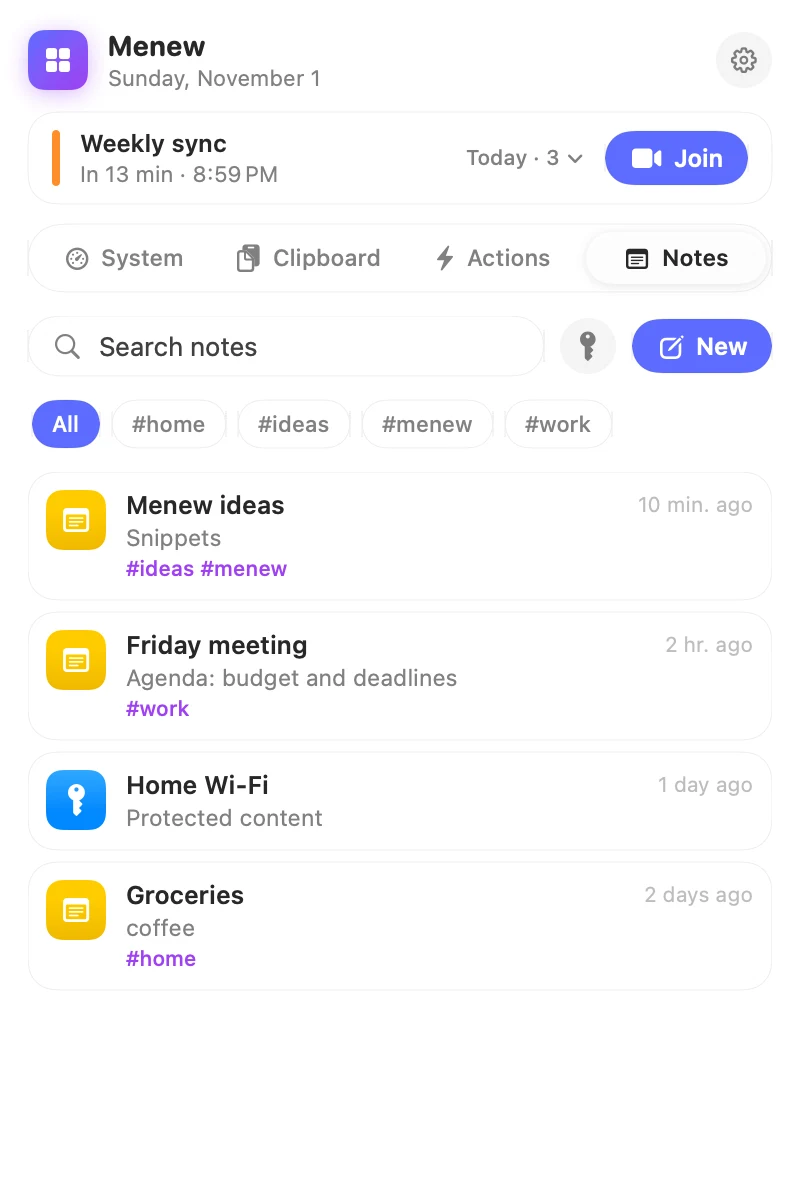
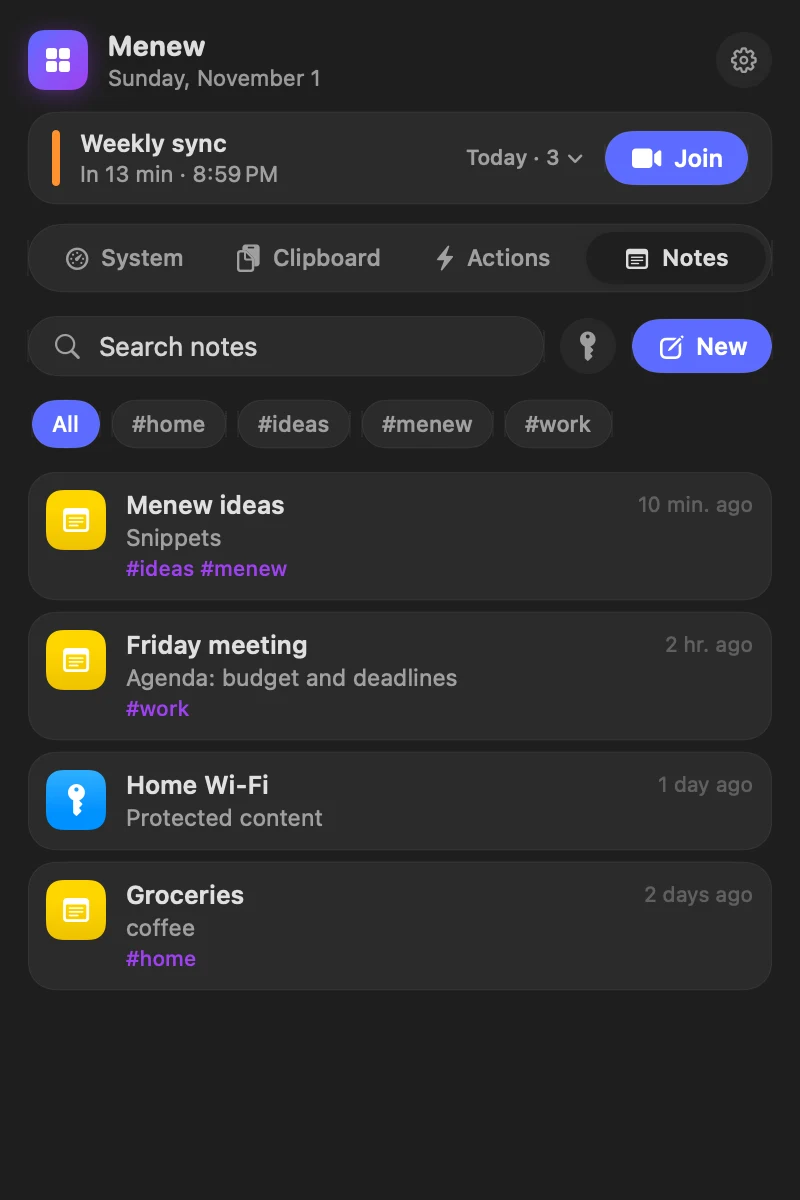
Notes with #tags and Markdown checklists, protected notes that open with Touch ID, password notes with hidden fields you copy in one click, and reusable snippets in ⌘⇧V. Give a snippet an abbreviation like “;sig” and typing it anywhere turns it into the text. Snippets can fill in the date, ask for a name before pasting and place the cursor where you want.
Clipboard history

Never lose something you copied.

Press ⌘⇧V anywhere, type a few letters and hit return. It pastes straight into the app you were using.

  • Smart previews — color swatches for hex codes, link previews, images and file icons.
  • Filters & pins — jump between text, links, images and files; keep favorites on top.
  • Password-safe — ignores anything marked as a password by 1Password, Keychain and friends. You can also pick apps to ignore, right from a list.
⌘⇧V open ⌘1–9 quick paste ⌥↩ plain text
Clipboard preview of a color Clipboard preview of a color
Quick actions

Toggles you'd otherwise Google every time.

Show hidden files, hide the desktop, keep the Mac awake for an hour or pick a color from anywhere on screen — without opening Terminal. Every switch shows its current state.

  • Monitor brightness — a slider for every screen, including third-party monitors over DDC/CI. Monitors behind an adapter that blocks DDC are dimmed by software instead.
  • Mute your mic — from any app with ⌃⌥⌘M, great for meetings. And rewrite any selected text with ⌃⌥⌘R: fix, clearer, more formal, shorter.
  • Window manager — snap windows to halves, corners and thirds with ⌃⌥ shortcuts or a grid, and send them to the other display. Or just drag a window to an edge or corner.
  • Command palette — press ⌃⌥Space to find any app, action, window layout, snippet or note. Type “brightness 60” or “awake 2h”. Do math and conversions too: “20% of 340”, “5 km to mi”. And it transforms the text you copied: UPPERCASE, camelCase, format JSON, Base64, count words. For developers: see which ports are in use and stop the server, generate a UUID, turn a Unix timestamp into a date and decode a JWT. Menew's actions also show up in Siri, the Shortcuts app and Spotlight, ready to use. With Apple Intelligence it also summarizes, rewrites, fixes and translates the text you copied, using only the model on your Mac. Quick links open sites straight from it: “g coffee”, “gh menew”, “maps paulista”, or your own like “jira ABC-123”. Ask it anything starting with “ai” and the answer appears in a small window, written on your Mac. In notes, AI summarizes or pulls out the to-dos as a checklist. Read a QR code from the screen, or show a QR of copied text, a link or your Wi-Fi for your phone. Type “remind pay the bill tomorrow at 9” to create a reminder in the Reminders app. Find emoji (“emoji rocket” or “:fire”) and symbols like →, °, € or ✓ and paste them anywhere. Translate the copied text offline with Apple's translator, even without Apple Intelligence. Set a timer (“timer 10m tea”) or an alarm (“alarm 7:30”) with a countdown in the menu bar. Drop your own scripts (shell, Python, Node, AppleScript) in the scripts folder and each one becomes a command, Raycast-style. Or just say what you want: “do dark mode, keep awake and open Safari” and the Mac’s own AI lines up the steps for you to confirm.
  • Work profiles — save your open apps and window layout, then bring it all back with one click: apps open, windows go back in place, mic and Keep Awake set.
  • Quick shelf — shake files while dragging and a shelf appears. Drop files, links and text there, then drag them all out together. Originals never move. Photos on the shelf can be converted to JPG, PNG or HEIC, shrunk in bulk or stripped of location and metadata, without touching the originals. PDFs too: combine, compress, rotate or turn pages into images. Drop a recording or video and get the transcript as a note, offline.
  • Automations — at 9 AM turn on your work profile, mute the mic when Zoom opens, dim the screen when you unplug, quit everything when a focus session starts, run one of your Shortcuts a minute before a meeting or when the Mac wakes. Simple triggers, no scripts.
  • Copy text from screen — press ⌃⌥⌘T, select any area (a video, a PDF, an error message) and its text goes to the clipboard. Works on copied images too. Runs entirely on your Mac. Or ask about it: “explain this error”, “translate this”, “what should I do?”, answered by your Mac’s own AI.
  • Focus timer — start 25 minutes (or any time: type “focus 50” in the palette) and the countdown shows in the menu bar. It can mute the mic, keep the Mac awake and pause the clipboard, then puts it all back and gives you a 5-minute break.
  • App control — quit all apps, quit everything but the one you're using, hide the rest or force quit a frozen app. A work profile can close everything else and open only what you need, and an automation can quit all apps when the battery hits 5%.
Quick actions grid Quick actions grid Quick notes Quick notes
Pro tools

What paid Mac utilities charge for, built in

Monitoring and maintenance you would normally buy separately, free and on your Mac.

One app instead of many

The everyday features of the apps you'd install anyway.

Menew covers the essentials of these tools in one free, native app. Keep using the others if you need their advanced features.

Raycast · Alfred

Command palette: apps, actions, math, conversions, quick links and AI (⌃⌥Space).

Maccy · Paste

Clipboard history with search, preview, snippets and a paste queue (⌘⇧V).

Rectangle · Magnet

Snap windows to halves, corners and thirds with the same ⌃⌥ shortcuts.

iStat Menus · Stats

CPU, GPU, memory, disk, network and battery in the menu bar.

CleanShot X

Screenshots with arrows, text, blur and pinning on screen (⌃⌥⌘S). Plus screen recording, GIFs and scrolling capture.

Amphetamine · Caffeine

Keep the Mac awake for a while, until a time or while an app is open.

CleanMyMac

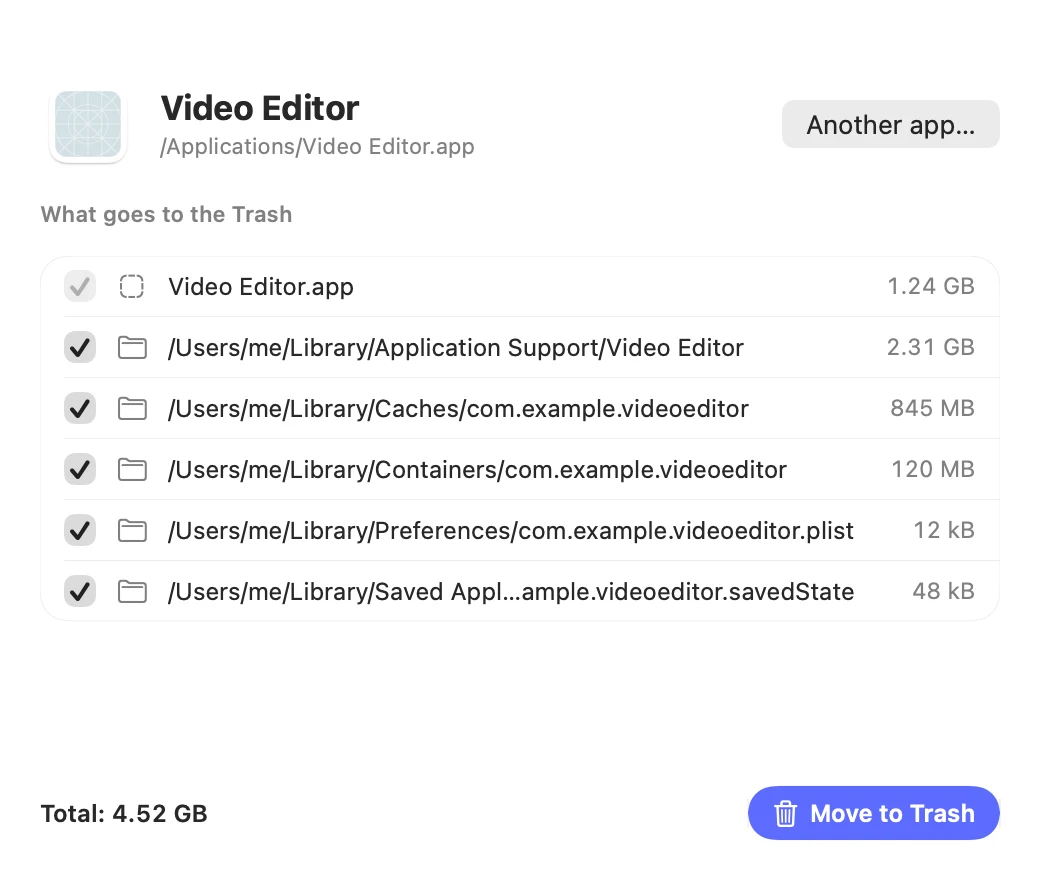
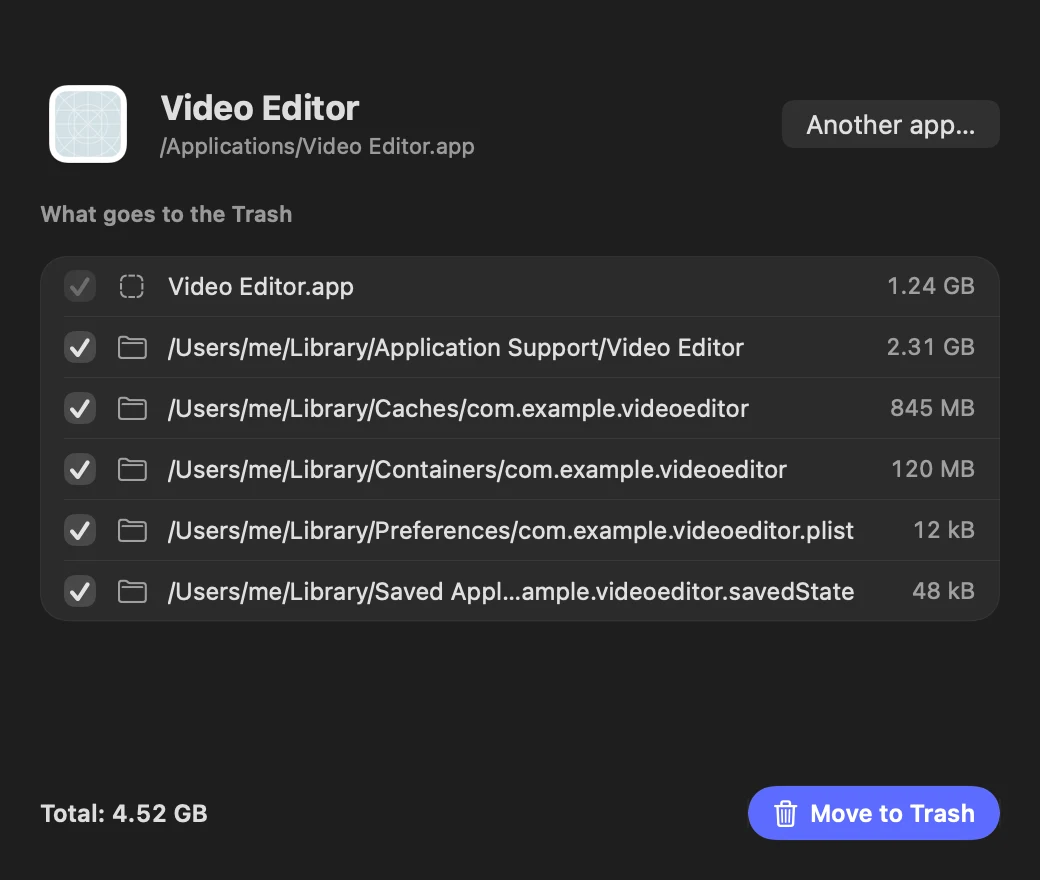
Disk cleaner for caches, logs, big files and duplicates; files go to the Trash. Plus an app uninstaller that removes the leftovers too.

Dropover · Yoink

A shelf for dragging files between apps, plus image and PDF tools.

Privacy

Your data never leaves your Mac.

Menew is open source, so you don't have to take our word for it.

No telemetry

The app sends nothing about you: no analytics, no tracking, no account. Ever.

Local storage

History and notes live in ~/Library/Application Support/Menew. Back up your settings, snippets, profiles and automations to a .menew file in Settings → Backup.

MIT licensed

Read it, fork it, improve it. Pull requests welcome.

FAQ

Questions people ask

Is Menew really free?

Yes. Menew is free and open source under the MIT license: no ads, no subscription, no paid tier. If it helps you, you can buy the author a coffee, but nothing in the app asks for it.

Does Menew collect my data?

No. There is no telemetry, no analytics and no account. Clipboard history and notes stay on your Mac. The only network calls are the update check, your public IP, a speed test you start and a currency rate you ask for. AI features use Apple's on-device model only.

Which Macs does it run on?

macOS 14 Sonoma or later, on Apple Silicon and Intel. The AI features need macOS 26 or later with Apple Intelligence turned on.

How do I install it?

Download the DMG and drag Menew to Applications, or use Homebrew: brew install --cask menew after adding the quost/menew tap. Updates arrive automatically.

Is it safe to install?

Menew is signed with an Apple Developer ID and notarized by Apple, and all of its source code is public on GitHub.

Can I turn off the parts I don't use?

Yes. In Settings → Modules you can turn off Clipboard, Actions or Notes, and they disappear completely. With Clipboard off, Menew doesn't even read it.

Is Menew a free alternative to Raycast, Maccy, Rectangle and iStat Menus?

Yes. Menew covers the essentials of each in one app: a command palette and clipboard history like Raycast and Maccy, window snapping with the same shortcuts as Rectangle, and system monitoring with sensors and history like iStat Menus. Those apps still go deeper in their own niche, for example Raycast's extension store.

Does the AI need the internet or an account?

No. Menew only uses Apple's on-device model (Apple Intelligence), so text, screenshots and questions never leave your Mac. There is no API key, no account and no extra cost.

What if my Mac doesn't have Apple Intelligence?

Everything else works the same. The AI features tell you how to turn Apple Intelligence on instead of failing, the slow-Mac diagnosis still lists what is wrong, and the smart clipboard search works without it.

How do I uninstall Menew?

Quit Menew from its menu and drag it from Applications to the Trash, or run brew uninstall --cask menew. Your history and notes live in ~/Library/Application Support/Menew, which you can delete too.

Does Menew slow down my Mac or drain the battery?

Menew is a native Swift app, not a web wrapper, and the download is about 8 MB. It reads system stats every 2 seconds, takes heavier readings only while you look at them, and features like screen time stay off until you turn them on.

Which languages does Menew speak?

English, Portuguese, German, Spanish and Simplified Chinese. It follows your macOS language, and you can pick another one in Settings.

Make your menu bar work for you.

Free forever. Takes ten seconds to install.

  1. Download Menew.dmg with the button above.
  2. Open it and drag Menew into Applications.
  3. Open Menew. It lives in your menu bar; press ⌘⇧V for the clipboard.

macOS 14 or later · Apple Silicon & Intel · Signed and notarized by Apple

brew tap quost/menew https://github.com/Quost/menew
brew trust quost/menew
brew install --cask menew

Newer Homebrew versions ask you to trust third-party taps once.

git clone https://github.com/Quost/menew
cd menew
./build.sh --install

Needs Xcode 16 or the Swift 6 toolchain.

Using an AI assistant? Copy a ready-made prompt and paste it into ChatGPT, Claude or your terminal agent.

Menew is made in spare time. If it saves you a few minutes a day:

☕ Buy me a coffee